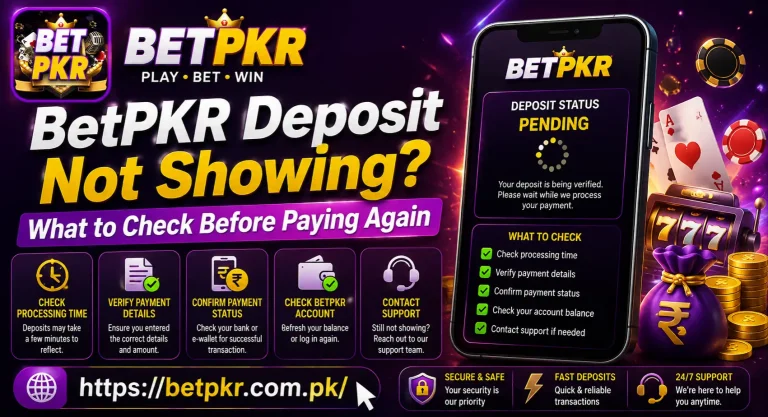
BetPKR OTP Not Received? What to Check Before Requesting Another Code
A BetPKR OTP not received problem can appear while registering, logging in, resetting a password or confirming an account-related request. The first reaction is often to press “Resend OTP” several times. That can make the situation more confusing because older codes may become invalid as soon as a new one is generated.
Before requesting another verification code, check the registered number, mobile signal and SMS settings. A delayed OTP does not always mean there is a problem with your BetPKR OTP Not Received account.
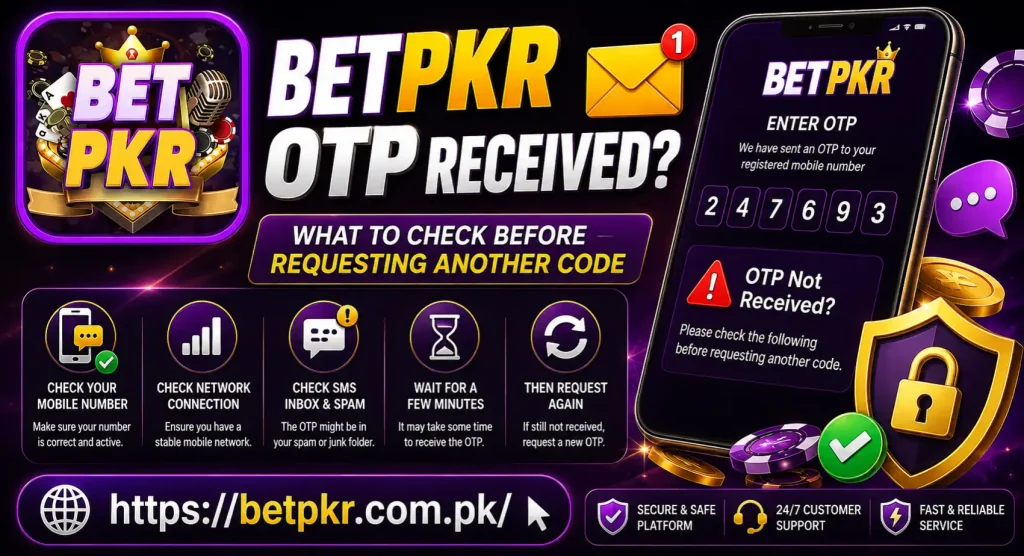
Why Is the BetPKR OTP Not Arriving?
An OTP can be delayed or blocked for several reasons. Some problems come from the mobile network, while others are related to the number entered during the request.
The Mobile Number Is Incorrect
Check every digit of the phone number entered on the BetPKR register or login screen. A single incorrect digit will send the verification message to a different number.
Also check whether the correct country code is selected. Pakistan-based numbers are normally entered with the Pakistan country code when the form requests an international format. Follow the format displayed on the screen rather than guessing it.
Your Mobile Network Is Delayed
SMS delivery can slow down when the network is busy or the phone has a weak signal. This is more common in areas with unstable coverage.
Look at the signal bars and wait a few minutes. Moving closer to a window or going to a place with stronger reception may help. There is no benefit in requesting several codes while the network is unavailable.
Promotional or Unknown Messages Are Blocked
Some Android phones separate automated messages from normal conversations. Open the SMS application and check these sections:
- Spam and blocked messages
- Unknown senders
- Archived conversations
- Recently deleted messages
If a spam-filtering or message-blocking application is installed, check whether it has stopped the verification message.
The SIM Is Not Active in the Phone
The number registered with BetPKR must be able to receive text messages. If the SIM is inactive, temporarily blocked or inserted into another phone, the OTP will not appear on the device being used.
Dual-SIM users should also confirm that the registered SIM is active. Although SMS messages can usually arrive on either SIM, disabled SIM settings or poor coverage may prevent delivery.
Too Many OTP Requests Were Made
Repeatedly tapping the resend button can trigger a temporary request limit. It may also leave several codes in transit. When those messages eventually arrive, only the newest BetPKR verification code may work.
Stop making requests for a while if you have already tried several times. Let the current request finish before starting another one.
What to Check Before Requesting Another BetPKR Code
A few simple checks can often solve the problem without changing your account or reinstalling the application.
Confirm the Registered Phone Number
Return to the previous screen and carefully read the number. Make sure:
- No digit is missing or repeated
- The correct country code is selected
- The SIM is currently active
- The number can receive regular SMS messages
If the number shown is partially hidden, compare its visible ending digits with your actual mobile number.
Wait for the Existing Request
OTP messages are not always instant. Give the current request enough time to arrive before pressing the resend option.
If multiple messages arrive together, use the most recently requested code. An older OTP may show an “invalid” or “expired” error even if it was entered correctly.
Test Your Mobile Signal
Try sending a normal message or ask someone to send an SMS to the registered number. If ordinary messages are also delayed, the issue is probably connected to the mobile network rather than the BetPKR app.
Turning Airplane Mode on briefly and then turning it off can reconnect the phone to the network. Restarting the device may also help restore SMS reception.
Check Available Phone Storage
A phone with extremely limited storage may not process new messages correctly. Delete unnecessary messages or files if the device is full, then reopen the SMS application.
Do not delete account records, payment screenshots or transaction references that may be needed later.
Keep the Same Verification Session Open
Switching repeatedly between different browsers, devices or versions of the BetPKR APK can interrupt the verification session. Complete the request on the same device and screen whenever possible.
If the page has been open for a long time, close it and begin one fresh attempt. Avoid opening several OTP screens at once.
Request Only One New Code
After completing the checks, use “Resend OTP” once. Remain on the verification screen and wait for the message.
When the code arrives, enter it exactly as shown. Do not add spaces unless the input boxes insert them automatically.
BetPKR OTP Received but Not Working
Sometimes the message arrives, but the code is rejected. This commonly happens when an older OTP is entered after a newer one has been requested.
Check the time and order of the messages. Use the latest code and type it manually if automatic SMS detection fills an older one.
Other possible reasons include:
- The verification screen has expired
- The code was entered in a different session
- A digit was typed incorrectly
- A newer code replaced the previous OTP
- Too many incorrect attempts were made
If the page says the code has expired, start one fresh request. Do not continue entering the same expired code.
OTP Problems During BetPKR Registration
A new account may require phone verification. If the OTP does not arrive during BetPKR registration, first check whether the number has already been used for an account.
Trying to create another account with the same number may result in a registration or verification error. In that case, use the login or password-recovery option instead of repeatedly registering.
Avoid using temporary, borrowed or inactive phone numbers. You may need access to the same number later for login recovery or account confirmation.
OTP Problems During Login or Password Reset
For a BetPKR OTP Not Received issue, confirm that you are entering the number connected to the existing account. A code requested for one number cannot verify another account.
During password recovery, keep the reset screen open until the code arrives. If you close the page, begin another session or change devices, the original code may no longer match the active request.
Never share an OTP, password or account PIN with someone offering to fix the login problem.
OTP Not Received During a Payment Request
If an OTP appears while confirming a deposit, withdrawal or wallet-related action, do not repeat the payment merely because the verification message is delayed.
First check the transaction status and payment history. Repeating the same action may create duplicate or pending requests. The existing BetPKR OTP Not Received payment methods article can provide general information, while a transaction-specific problem should be checked through the status displayed in your account.
Keep the transaction reference, amount and request time available in case support needs them. Do not post this information publicly.
When Should You Contact BetPKR Support?
Contact the support option displayed on the website or inside your account if:
- The registered number is correct
- Regular SMS messages are working
- You waited and made only one fresh request
- The newest code is repeatedly rejected
- The account becomes temporarily restricted
- You no longer have access to the registered SIM
Share only the information needed to locate the issue, such as the registered number with some digits hidden, request time, device type and a screenshot of the error.
Never send your OTP, password, wallet PIN or complete payment credentials. Genuine account verification should not require you to reveal a one-time code to another person.
FAQS BetPKR OTP Not Received
BetPKR OTP Not Received Final Words
When a BetPKR OTP is not received, check the mobile number, signal strength, blocked-message folder and active verification session before requesting another code. Make only one fresh request after completing these checks and use the newest OTP that arrives. If the problem continues despite normal SMS service, use the support channel shown on the BetPKR website or inside your account. Keep your OTP and password private throughout the process.
Responsible gaming notice: BetPKR OTP Not Received and similar real-money gaming platforms are intended for adults aged 18 or above. Never deposit money needed for household expenses, and do not chase losses.